
mcafee官方卸载工具就是mcafee consumer product removal tool,它能轻松帮你卸载电脑上的mcafee防病毒软件,一键自动完成,有需要的就来it猫扑下载吧!
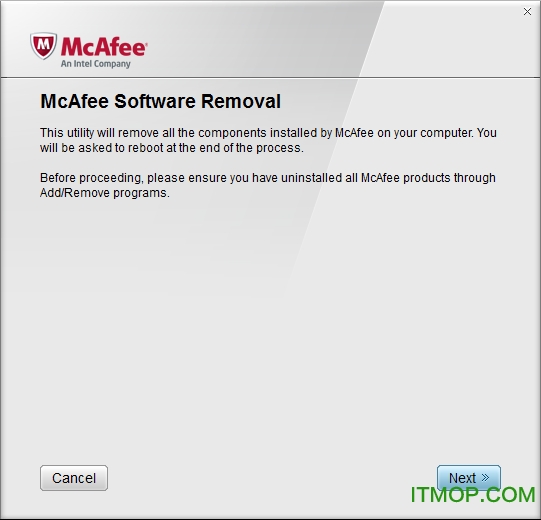
mcafee官方卸载工具介绍
mcafee consumer product removal tool是一个mcafee产品卸载工具,使用方便,你只要点击一下鼠标,剩下的就可以自动完成了。清除后,系统中不会有任何mcafee软件的痕迹。支持2005、2006、2007系列版本。
mcafee官方卸载工具支持的版本
running the mcafee consumer product removal tool (mcpr.exe) removes all 2005, 2006, and 2007 versions of mcafee consumer products.
affected products:
- mcafee security center
- mcafee virusscan
- mcafee personal firewall plus
- mcafee privacy service
- mcafee spamkiller
- mcafee wireless network security
- mcafee siteadvisor
- mcafee data backup
- mcafee network manager
- mcafee easy network
- mcafee antispyware
using mcafee consumer product removal tool:
- double click the mcpr.exe
- a command line window will be displayed, and then close automatically.
- wait for a second command line window to be displayed. note: do not double-click mcpr.exe again, you may have to wait up to 1 minute for the next window to appear.
- after the second window appears, the program will begin the cleanup.
- observe the installation, which could take several minutes. the following message will be displayed in the command line window: the machine must reboot to complete the un-installation. reboot now? [y.n]
- press y on the keyboard.
- wait for the computer to restart.
- all mcafee products are now removed from your computer.
mcafee介绍
mcafee官方中文译名为“迈克菲”。公司的总部位于美国加州圣克拉拉市,致力于创建**的计算机安全解决方案,以防止网络入侵并保护计算机系统免受下一代混合攻击和威胁。迈克菲是全球最大的专业安全技术公司。
所提供的具有前瞻性且经实践验证的解决方案和服务,可为全球范围内的系统和网络提供安全保护,同时,能够帮助家庭用户和各种规模的企业防范恶意软件和新出现的网络威胁。