
7-zip是一款号称有着现今最高压缩比的压缩软件,它不仅支持独有的7z文件格式,而且还支持各种其它压缩文件格式,其中包括zip, rar, cab, gzip, bzip2和tar。此软件压缩的压缩比要比普通zip文件高30-50%。因此,它可以把经winzip压缩的文件再压缩2-10%。
7-zip软件介绍
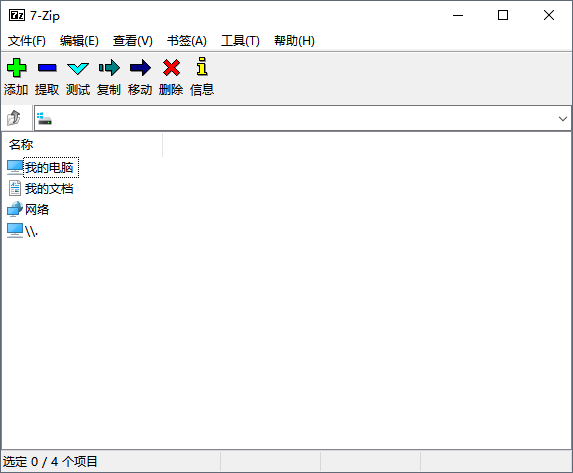
7zip也不完美(要是完美 了,rar就已经被取代了),主要是软件的界面依然不够优秀,格式本身对于分卷压缩的支持也不好,但是这不妨碍7zip成为最有潜力的压缩格式。7-zip 下载 安装的时候是英文界面,安装完后就是中文版了,简体中文操作系统不需要进行中文语言选择。
更新说明
v21.01 alpha 版本更新:2021年3月9日
– 发布了适用于 linux 的 7-zip 命令行版本。
– 使用硬件 cpu 指令改进了 arm64 版本的速度,适用于 aes、crc-32、sha-1 和 sha-256。
– 版本 18.02 – 21.00 中的错误已修复:7-zip 无法正确提取使用 xz 压缩方法创建的一些 zip 压缩文件。
- the bug was fixed: 7-zip file manager could crash when opening broken
7-zip 9.24.00 alpha 更新:
archive.
the code that shows status bar was changed to fix that bug.
更新:
- the bug was fixed: 7-zip file manager could work incorrectly with archives
in "flat view" mode.
- 7-zip file manager now can update file in archive even if the file name is not supported by windows.
- 7-zip now remembers "show password" option selection.
- the bug in latest alpha versions was fixed: default solid block size was
small (command line version only).
7-zip 9.20.07 alpha: 更新信息:
7-zip现在可以解压缩的uefi bios文件。
64位7 - zip版本现在包括额外的32位外壳扩展dll。因此,其他32位程序可以通过上下文菜单调用64位的 -zip。
- 现在是7-zip与文件关联不需要管理员权限了。
- new -mf= filterid开关来指定压缩过滤器。例子:
7z a -mf= bcj2 a.7z a.tar
7z a -mf=delta:4 a.7z a.wav
7z a -mf=bcj a.tar.xz a.tar
- 有一些为bcj2过滤算法来设置的更改。
因此,压缩比略有好转,现在是可执行文件,mx9模式.7 z格式。
- 修正了已知错误。
- 新增本地化语言:corsican, kyrgyz, ligurian。